

Download Photo Card Workshop – Custom Photo Cards, Templates, Easy Editing
Overview
Photo Card Workshop is a mobile application designed to simplify the creation of personalized photo cards for a variety of life’s special moments. The app serves as a digital workspace where users can craft visually appealing cards without the complexity of starting from a blank canvas. It addresses the common challenge of time and design limitations by offering pre-built templates tailored to occasions such as birthdays, weddings, holidays, and more. This makes it particularly useful for individuals who want to express sentiment through custom cards but lack advanced graphic design skills.
Target users include casual creators, event planners, and families seeking a convenient way to commemorate milestones. The app’s purpose is to streamline the card-making process, transforming personal memories into shareable or printable keepsakes. Although the developer’s background was not specified in the provided data, the app’s long-standing presence since its release on March 16, 2009, suggests a stable and enduring utility in the mobile productivity space.
Real-world use cases include sending birthday wishes to loved ones, creating holiday greetings, or preparing personalized invitations. In the broader app ecosystem, Photo Card Workshop fills a niche by combining accessibility with creative flexibility, making it a valuable tool for users who prioritize ease of use and design quality in a single platform.
Key Features & Functionality
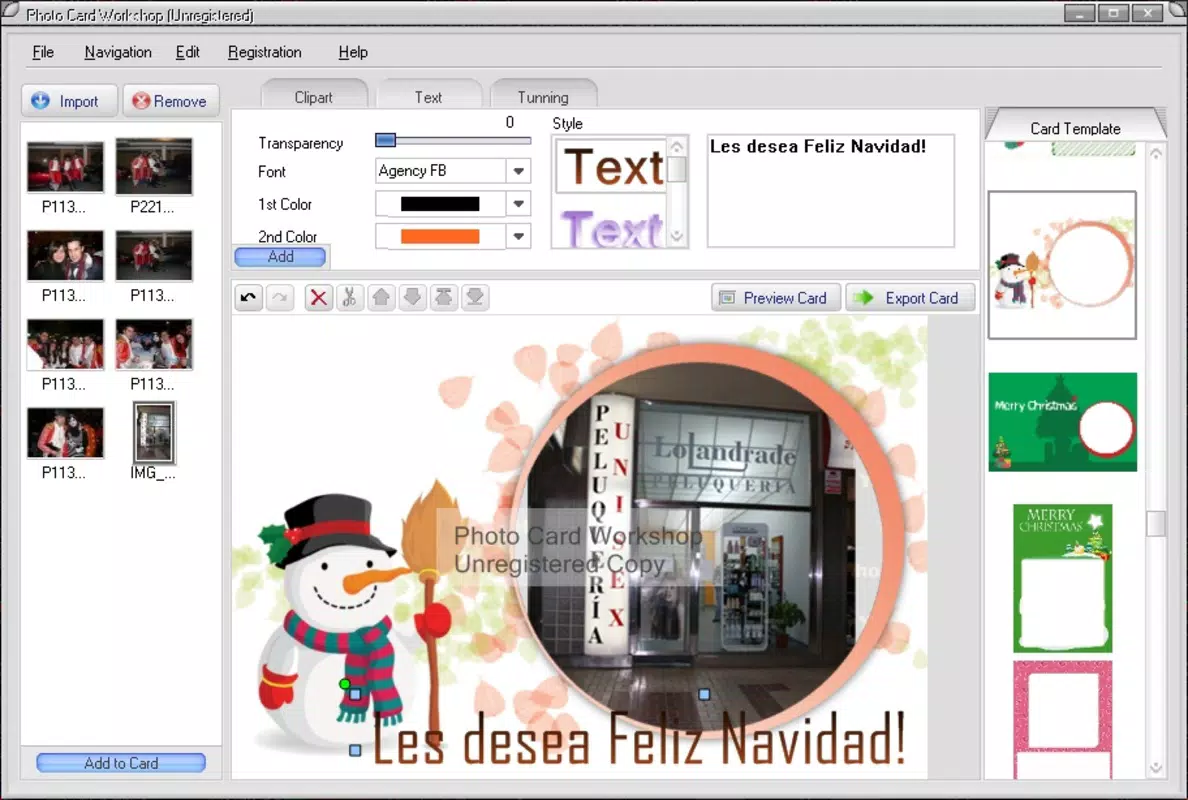
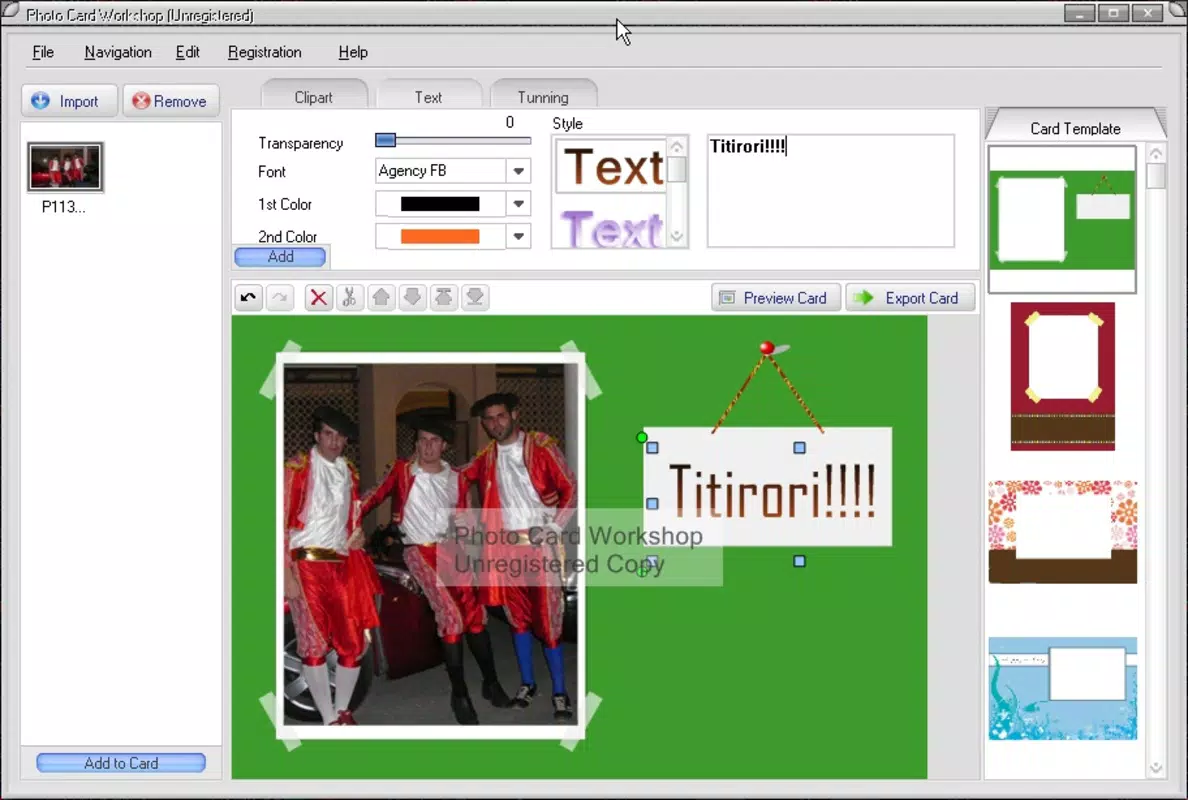
- Wide Array of Templates: The app offers a diverse selection of professionally designed templates suitable for multiple occasions. Users can choose from pre-formatted layouts for birthdays, weddings, anniversaries, and seasonal holidays, enabling quick access to visually cohesive designs without requiring design expertise.
- Easy Customization Options: Once a template is selected, users can personalize the card by adding photos, text, and clipart elements. The intuitive interface allows for drag-and-drop functionality and real-time previews, ensuring adjustments are immediate and visible, which enhances the creative workflow.
- Quick Effects Application: Built-in photo enhancement tools allow users to apply visual effects such as filters, brightness adjustments, and contrast modifications with minimal effort. These tools help elevate the appearance of images, making the final card more vibrant and engaging.
- Multiple Export Formats: Completed cards can be exported in various formats including JPEG, PNG, and TIFF. This flexibility supports both digital sharing and high-quality printing, ensuring compatibility with a wide range of devices and output methods.
For example, a user preparing a birthday card can select a festive template, insert a photo of the birthday person, add a personalized message, apply a glow filter to the image, and then export it as a PNG for email or as a TIFF for professional printing. The seamless integration of these features supports both casual and semi-professional use cases.
Interface, UX & Performance
The user interface of Photo Card Workshop is designed with simplicity and efficiency in mind. The layout organizes key tools and functions in a logical, accessible manner, minimizing clutter while maintaining full functionality. Navigation is straightforward, with clear icons and labeled menus that guide users through each step of the card creation process.
Visual style leans toward a clean, minimalist aesthetic, allowing content—especially photos and text—to take center stage. The app maintains responsiveness across different screen sizes, ensuring consistent performance on both smartphones and tablets. Although the developer did not list formal performance metrics, the app’s long-term availability suggests a stable and reliable experience under normal usage conditions.
Users can expect smooth transitions between editing stages, with minimal lag during image loading and effect application. Stability appears to be well-maintained, though specific details on battery usage, memory consumption, or compatibility with older devices were not disclosed. The overall experience reflects a mature product focused on usability rather than flashy animations or complex interactions.
Platform Compatibility & Technical Requirements
Photo Card Workshop is available on Android and iOS platforms, making it accessible to a broad audience of smartphone users. The app supports the latest versions of both operating systems, though specific version requirements were not provided by the developer. The file size is listed as 12.4 MB, which is relatively lightweight and suitable for devices with moderate storage capacity.
Although the developer did not specify minimum OS requirements, the app’s release date of March 16, 2009, indicates that it has been continuously updated to remain compatible with evolving mobile environments. Users should ensure their device meets general system standards for running modern mobile applications, though no exact specifications were shared.
Pros and Cons
Pros
- Intuitive interface designed for users of all skill levels
- Extensive library of occasion-specific templates
- Effortless photo and text customization with real-time preview
- Supports multiple export formats for printing and digital sharing
- Lightweight file size suitable for most mobile devices
Cons
- Specific system requirements were not listed
- Developer background and company details were not disclosed
- Performance metrics such as battery usage or memory impact were not provided
- No information on cloud sync or cross-device access
- Updates and support history were not detailed
FAQ
Is Photo Card Workshop free to download?
Yes, the app is available for download at no cost. However, specific pricing details for in-app features were not provided.
Can I use my own photos in the cards?
Yes, users can upload and insert personal photos directly into the templates for customization.
What file formats can I export my finished card in?
Completed cards can be exported in JPEG, PNG, and TIFF formats, supporting both digital sharing and high-quality printing.
Is the app compatible with both Android and iOS?
Yes, the app is available on both Android and iOS platforms, though specific OS version requirements were not listed.
How often is the app updated?
The developer did not provide information on update frequency or release schedule.
Final Thoughts
Photo Card Workshop stands out as a reliable and accessible tool for creating meaningful, visually appealing photo cards. Its combination of ready-made templates, easy editing features, and export flexibility makes it ideal for users who want to craft personalized messages without design experience. The app’s lightweight nature and long-standing presence in the market reflect a mature product focused on core functionality.
Whether you're sending a holiday greeting, celebrating a birthday, or preserving a cherished memory, Photo Card Workshop delivers a smooth and satisfying creative experience. For individuals seeking a simple yet effective way to express emotion through digital cards, this app offers strong value.
Download Photo Card Workshop now


